
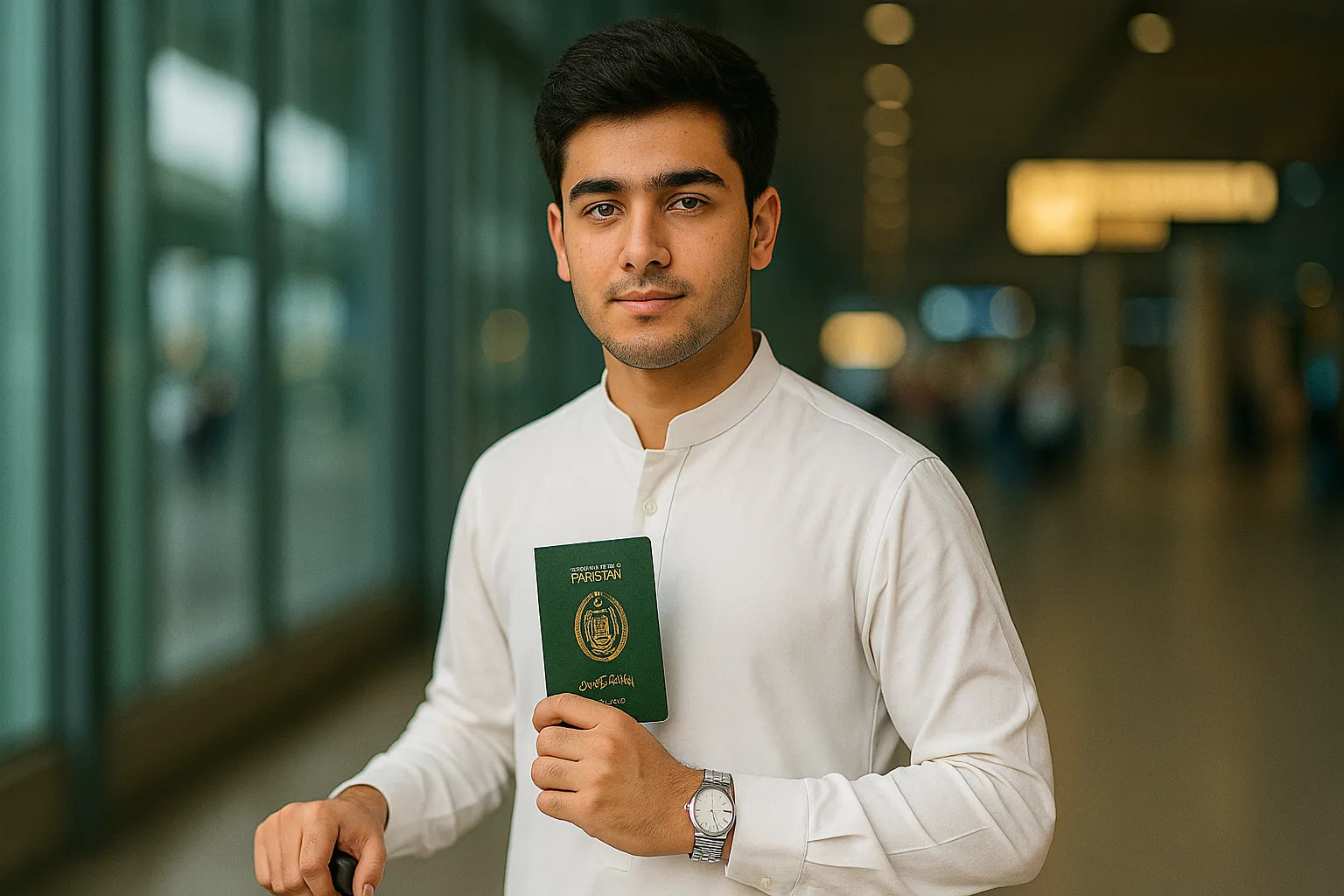
Gemini AI lets you create portraits that look so real, they could pass as DSLR photography.
If you want a lifelike mid-shot image of yourself (or your model) that preserves every facial feature, natural tone, and style — this prompt is made for you.
In this tutorial, we’ll show you how to create an 8K ultra-realistic HDR portrait using Gemini AI or Leonardo AI, designed to capture the elegance of traditional attire and the sophistication of a confident traveler at an airport.
The Full Gemini AI Prompt
“Create an ultra-realistic HDR, DSLR, and 8K quality mid-shot portrait (waist-up) of the uploaded or referenced person, ensuring the final image looks 100% identical to the provided photo in face, details, and appearance. The person is standing confidently at an airport, wearing a traditional white shalwar kameez with a stylish wristwatch. In his right hand, he is holding a green Pakistani passport clearly visible, while his left hand rests casually on his premium travel bag. The lighting should be natural daylight coming through the terminal windows, creating a soft, cinematic HDR glow on the subject. Background slightly blurred with airport details visible (like glass, signage, and reflections). Shot with a DSLR depth of field, 8K clarity, and perfect texture realism.”
What This Prompt Creates
This prompt generates a DSLR-quality, cinematic airport portrait that feels like a professional travel photoshoot.
It’s ideal for use on:
-
Social media profile pictures
-
Travel blogs
-
Visa or documentation campaigns
-
Portfolio branding
Key Visual Highlights
-
Attire: Traditional white shalwar kameez, clean fabric texture visible
-
Accessories: Premium wristwatch and travel bag
-
Props: Green Pakistani passport in hand, clearly readable
-
Lighting: Soft HDR glow from natural sunlight filtering through the terminal
-
Mood: Calm confidence — a perfect “ready to travel” expression
-
Focus: Sharp on face and clothing, slightly blurred airport background
How to Use This Prompt in Gemini AI
Step 1: Open Gemini
Visit https://gemini.google.com and log in with your Google account.
Step 2: Upload the Reference Photo
Upload your face reference photo (clear, front-facing, well-lit).
Then type:
“Use this exact face and physical proportions — do not alter any features.”
Step 3: Paste the Prompt
Paste the full HDR 8K portrait prompt from above.
Gemini will automatically generate your photo in a cinematic, realistic DSLR look.
Step 4: Refine If Needed
After the first image:
-
Say “Increase lighting contrast and texture on fabric.”
-
Or “Add mild depth blur in the airport background.”
Step 5: Export in 8K
When satisfied, click Download and save in PNG or WEBP format for full-resolution HDR quality.
Also Check: Gemini AI Prompt: Create a Cinematic Vintage Bike Portrait
Optional: Leonardo AI Version
If you’re using Leonardo AI for more control:
-
Go to Leonardo.ai.
-
Choose Photo Realistic or Cinematic Portrait model.
-
Upload the same reference photo.
-
Paste the prompt.
-
Set:
-
Resolution: 8192 × 5461 (8K)
-
Style: HDR Natural Light
-
Depth: DSLR (f/1.8 equivalent)
-
-
Generate, then use the Sharpen + Tone Adjust filters for final polishing.
Also Check: Gemini AI Prompt: Create an Ultra-Realistic Rain Portrait (8K Cinematic Style)
Pro Tips for Perfect Realism
- Use a high-resolution face photo (at least 1024×1024).
- Avoid harsh shadows in your reference image.
- Add camera info for realism:
“Shot on Canon EOS R5, 50mm f/1.4 lens.”
Ask Gemini to preserve natural skin texture and clothing fabric grain.
If creating for a blog, use horizontal framing (1200×628) for better Google Discover visibility.
Why This Prompt Works
This prompt combines:
-
Photographic precision (DSLR tone and HDR lighting)
-
Cultural authenticity (shalwar kameez and Pakistani passport)
-
Professional travel energy (airport environment and confident stance)
It creates a natural yet cinematic balance between identity and atmosphere, making it ideal for travelers, vloggers, or professionals showcasing global readiness.